Interactive Whiteboard News

Your Guide to Unlocking the Power of Online Collaboration

2025-12-30

Introduction: The Modern Workplace Challenge

Ever find yourself juggling multiple Slack channels, editing a shared document while simultaneously trying to track a Zoom meeting where half the participants are muted, and the other half are scrambling to share their screens? This chaotic dance is all too familiar for today’s enterprise teams. Modern workplaces have evolved into hybrid environments—some employees are in-office, some remote, and others hopping between client sites.

Yet, despite advanced technology, the challenge remains: how do you keep everyone on the same page? How can teams collaborate efficiently without drowning in fragmented communication, lost files, and endless back-and-forth?

This is where Qtenboard interactive whiteboards come into play. By combining high-definition touchscreens, AI-powered tools, and integrated enterprise management systems, Qtenboard provides a seamless collaboration experience designed specifically for modern businesses.

What is Online Collaboration?

Online collaboration refers to the digital facilitation of teamwork. Teams use a combination of platforms and tools to communicate, co-author documents, manage projects, and innovate together—even when participants are not physically in the same space.

Traditional tools like Slack, Zoom, Google Docs, and Trello allow teams to collaborate asynchronously and synchronously, but they often remain fragmented. Documents live in one platform, messages in another, and video calls elsewhere. This fragmentation slows decision-making and reduces overall productivity.

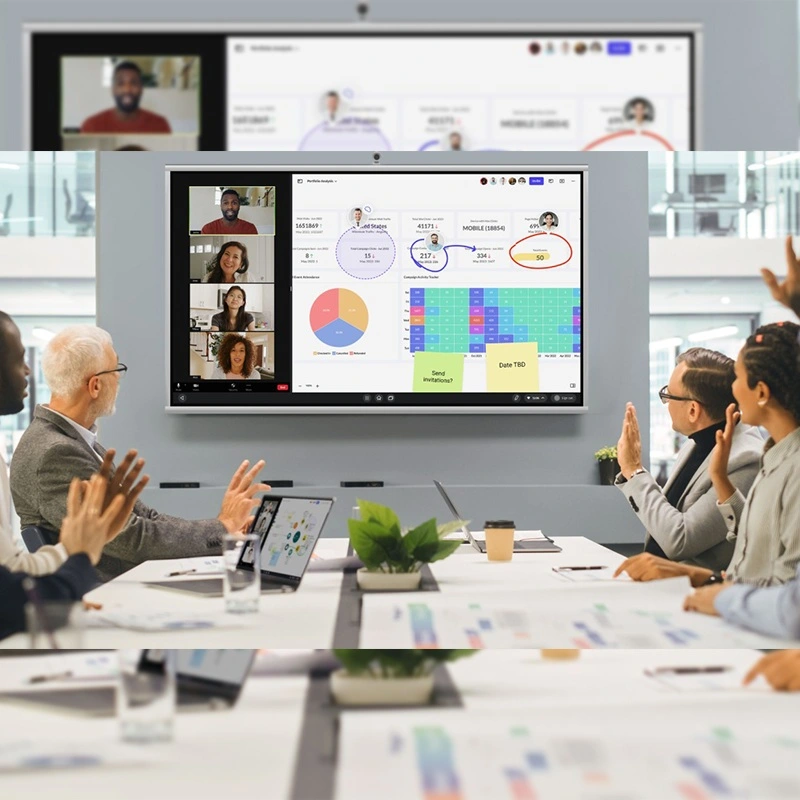
Enter Qtenboard: a unified platform where an interactive whiteboard becomes the central hub for collaboration. With Qtenboard, teams can write, draw, annotate, and share content in real time, whether participants are in the room, remote, or hybrid.

Why Enterprises Need Interactive Whiteboards

1. Boosts Productivity in Hybrid Workplaces

Hybrid teams face unique challenges. Employees need to communicate efficiently, share ideas instantly, and maintain alignment across locations and time zones. A traditional meeting setup often leaves remote participants sidelined, struggling to follow whiteboard discussions or brainstorming sessions.

Qtenboard solves this with:

  • 4K Ultra HD display & multi-touch support for crystal-clear visuals and simultaneous multi-user interaction
  • Real-time AI-powered features like Speech-to-Text transcription, Meeting Minutes, and Smart Assistant for instant summaries
  • Multi-user management and seamless integration with platforms like OneDrive, Google Drive, and FTP

Imagine a product development team: while one engineer sketches a design concept on Qtenboard, another remote team member edits the diagram live, and the AI automatically generates notes for the next meeting. No one misses a detail, and projects move faster.

2. Reduces Meeting Friction

According to research, employees spend over 11 hours per week in meetings, yet many feel unproductive. Meeting friction often arises from:

  • Confusing communication channels
  • Lost documents or inconsistent versions
  • Difficulty including remote participants

Qtenboard’s interactive whiteboard solves this with:

  • AI-powered Q&A during meetings to answer repetitive questions
  • Integrated Whiteboard features: Periodic Table, Formula, Statistical Charts, Crossword, OCR, and more
  • Seamless file transfer & sharing: USB, OneDrive, Google Drive, or fast local transfers
  • DMS remote management system: timed power on/off, command issuance, remote monitoring, application management, and upgrades

Teams can now run meetings where ideas flow uninterrupted, remote employees actively participate, and actionable insights are captured automatically.

3. Enhances Creativity and Engagement

Collaboration isn’t just about efficiency—it’s about sparking ideas. Traditional conference rooms can stifle creativity with rigid layouts and limited tools. Qtenboard transforms these spaces into dynamic innovation hubs:

  • Pressure-sensitive writing simulates pen-on-paper experience
  • Shape-aware erasing & multi-level recognition supports flexible brainstorming
  • Ultra-low touch recognition (0.5mm) ensures precise input, even for detailed sketches

Imagine a marketing team planning a campaign. Each member can annotate, draw, and contribute simultaneously on a shared interactive canvas. Visual ideas can be instantly captured, saved, and distributed—fueling faster iterations and creative breakthroughs.

4. Improves Communication Clarity

Miscommunication costs businesses time and money. Interactive whiteboards clarify information visually and contextually:

  • Diagrams, charts, and mind maps are created in real time
  • AI Meeting Minutes capture spoken content, reducing reliance on manual note-taking
  • Visual cues help participants understand complex ideas at a glance

With Qtenboard, even large distributed teams can engage in meaningful discussion without losing context. Remote participants feel as if they are “in the room,” and everyone can follow decisions in real time.

5. Centralizes Enterprise Collaboration

Qtenboard goes beyond simple whiteboarding. Its enterprise DMS system allows administrators to:

  • Schedule automatic device power-on/off
  • Issue remote commands (early warnings, information sending, application management)
  • Perform remote monitoring and upgrades
  • Maintain operation logs for compliance and security

This centralized control ensures that IT teams spend less time troubleshooting and more time enabling productive collaboration.

How Qtenboard Supports Hybrid Teams

ກ່ຽວ ກັບ ເວລາ ແທ້ວ

Whether your team is remote, on-site, or hybrid, Qtenboard ensures seamless participation:

  • Split-screen functionality allows video conferencing and whiteboarding simultaneously
  • AI-powered features capture discussions, summarize notes, and generate follow-ups
  • Multi-device access: participants can join via mobile, tablet, or PC

Remote Collaboration and Security

Security is essential for enterprises. Qtenboard provides:

  • USB/HDMI/Screen/Pattern/APK Install locks to prevent unauthorized access
  • Controlled software upgrades (USB, online, firmware)
  • User access management for local and remote participants

These features make Qtenboard ideal for confidential project discussions and corporate strategy meetings.

Practical Enterprise Applications

1. Project Planning and Management

Teams can map out project workflows on a visual canvas, track progress, and integrate with task management platforms like Trello or Asana. Remote stakeholders can participate fully, with the AI capturing every note and action item.

2. Training and Workshops

Interactive whiteboards enhance learning experiences. Employees can follow step-by-step demonstrations, annotate materials, and collaborate on exercises—perfect for onboarding, technical training, or creative workshops.

3. Client Presentations

Qtenboard provides professional, interactive presentations: dual-screen modes allow showing client proposals on one side while brainstorming internally on the other. Remote clients can annotate and provide feedback in real time.

4. Daily Stand-Ups and Agile Meetings

Small huddle sessions benefit from a compact, tech-enabled whiteboard. Teams can quickly align on priorities, update progress, and visualize project status—all while AI automates note-taking.

Tips for Implementing Qtenboard in Your Enterprise

  • Start Small, Scale Gradually – Convert one conference room or huddle space initially to test workflows.
  • Integrate with Existing Tools – Connect Qtenboard with Google Workspace, Microsoft 365, Slack, Zoom, or OneDrive.
  • Train Teams on AI Features – Ensure everyone understands Speech-to-Text, Smart Assistant, and Meeting Minutes for maximum efficiency.
  • Optimize Layout for Collaboration – Use flexible furniture and ergonomic setups to encourage participation.
  • Regularly Evaluate Usage – Leverage DMS logs and occupancy analytics to optimize space and identify high-impact usage patterns.

The ROI of Qtenboard Interactive Whiteboards

Investing in Qtenboard delivers measurable benefits:

  • Reduced meeting time and friction
  • Increased productivity and engagement
  • Enhanced creativity and innovation
  • Lower operational costs with energy-efficient and managed devices

By centralizing digital collaboration, enterprises achieve faster decision-making, better employee satisfaction, and streamlined hybrid workflows.

ຄືນ

The modern enterprise demands more than just video calls and shared files. Qtenboard interactive whiteboards redefine how teams collaborate, combining 4K multi-touch displays, AI-powered tools, enterprise DMS management, and advanced whiteboard functionality into a single platform.

With Qtenboard, enterprises can:

  • Run more effective meetings
  • Enhance creativity and engagement
  • Enable hybrid teams to collaborate seamlessly
  • Maintain security, control, and compliance
  • Capture actionable insights automatically

Interactive whiteboards are no longer optional—they are the cornerstone of productive, innovative, and connected enterprises. Embrace Qtenboard, and transform the way your team collaborates, learns, and innovates.

ເກືອນ ເພື່ອ ອ່ານ ເປົ້າ ຫມາຍ ເພິ່ນ ແລະ ຮຽນຮູ້ ກ່ຽວ ກັບ ເລື່ອງແກ້ໄຂ ເປົ້າ ຫມາຍ ແລະ ເກີດຂໍ້ມູນ.

📖ອ່ານ


ເຮືອນ Whatsapp ຂໍ້ ຈໍ່