ໂປຣແກຣມ ສໍາລັບ ການ ປະຊຸມ ໂປຣເເກຣມ

ໂປຣແກຣມ ສໍາລັບ ການ ປະຊຸມ ໂປຣເເກຣມ


ອໍານາດ: -10℃~60℃
ໂປຣມ (LXH): 150 mm / 30 mm / 55 mm
ໂປຣເເກຣມ: 8MP, ກໍາລັງ ໃຈ 1080P/720P/VGA/QVGA
ອໍານາດ: USB2.0; Type-C

ເກີດຂໍ້ຜິດພາດ:

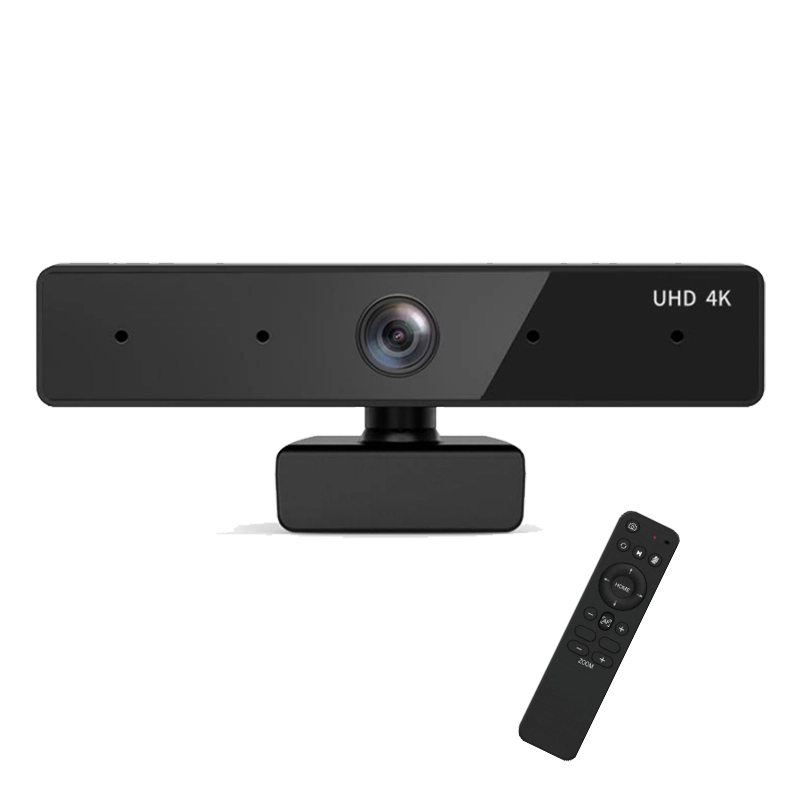
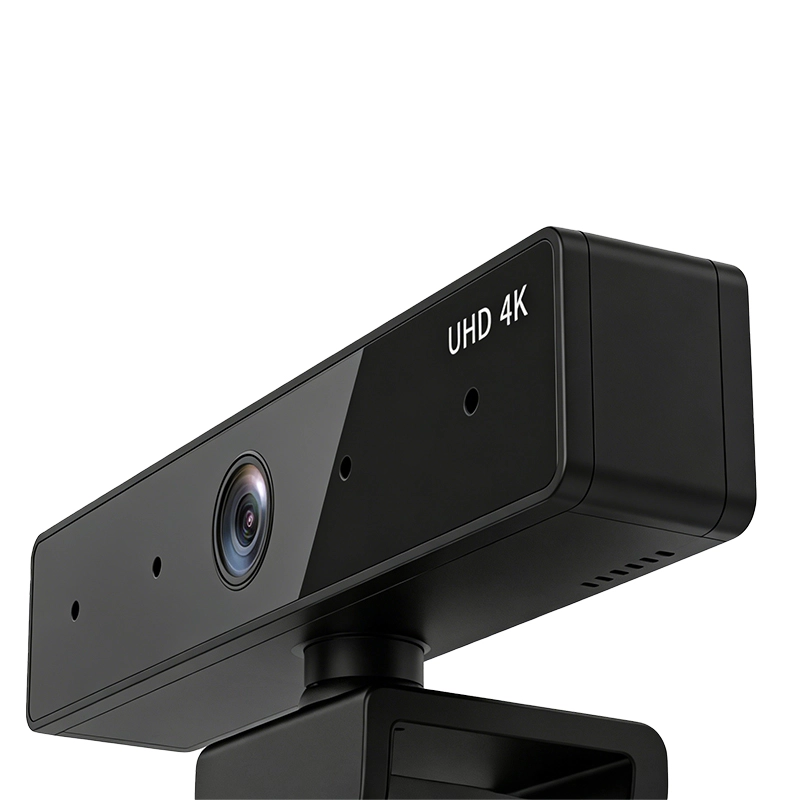
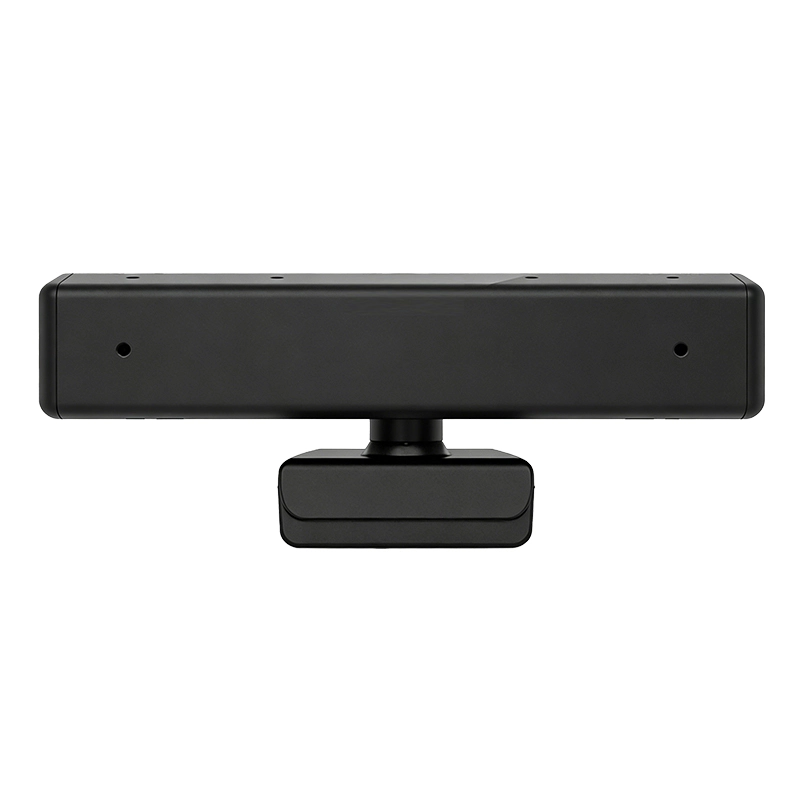
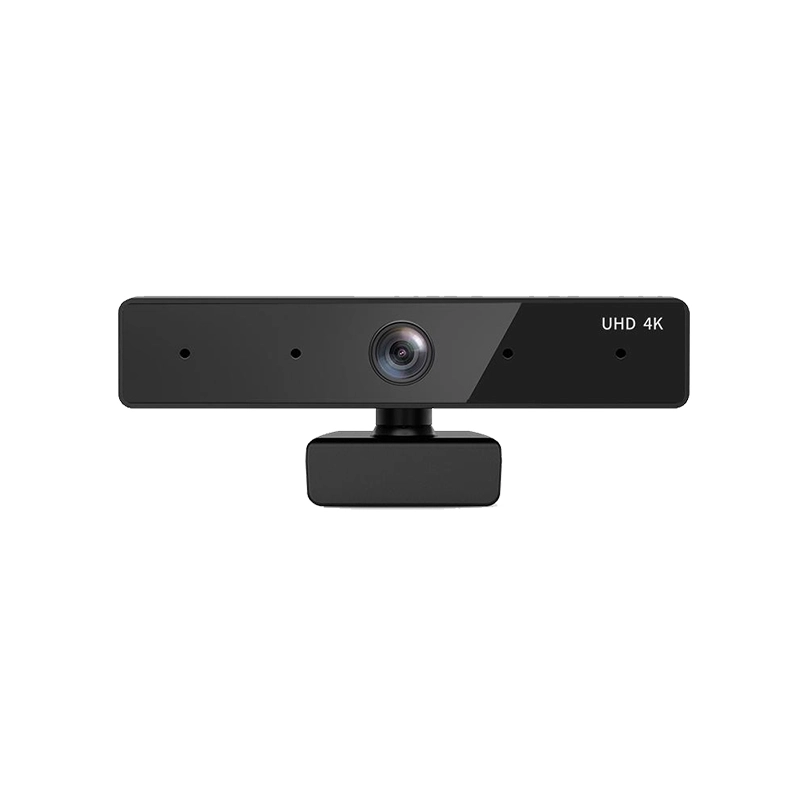
Based on the "8.0MP Camera Specifications.docx", the Qtenboard is an 8MP (8-megapixel) USB2.0 camera with a compact, foldable design (150mm×30mm×55mm) for easy storage and portability. It adopts a Sony 1/2.8-inch CMOS distortion-free HD lens, supporting 4K (3840×2160) resolution at 30FPS and 1080P resolution at 60FPS, paired with a 120° ultra-wide viewing angle to capture clear, detailed images. The camera features 360° horizontal free rotation, EPTZ (for resolutions below 4K), and a standard remote controller for flexible operation. It supports USB2.0 plug-and-play (driver-free) and is compatible with Windows/Android/Linux systems, with optional intelligent algorithm microphones (4-meter sound pickup, dual noise-reduction) for clear audio. Suitable for corporate meetings, anchor live streaming, and online video calls, it can be installed via desktop placement, wall mounting, or tripod connection, and operates stably in -10℃~60℃ environments.
ໂປຣເເກຣມ:

ໂປຣເເກຣມແກຣມແກຣມ
ຫນ້າ ດ້ອມ
Online Video Communication

ພິສູດ ເລື່ອງແກຣມ:


Qtenboard 8MP USB2.0 4K Remote Control Camera


ຂ້ອຍ. ໂປຣເເກຣມແກຣມແກ້ໄຂ ເປົ້າ ຫມາຍ:

Qtenboard ເປັນ ຫນ້າ 8-megapixel (8MP) USB2.0 ເເລະ ໂປຣເເກຣມແກຣມ ຕັ້ງຄ່າ ແບບ ຫນ້າ ຕ້ອງການ ປະຊຸມ. ມອບ ຫມາຍ ເຖິງ ການ ແປງ ແລະ ໂປຣເເກຣມ ແລະ ເຂົ້າ ຫມາຍ ເຖິງ ການ ປະຊຸມ ງ່າຍ. ແກ້ໄຂ ກ່ຽວ ກັບ Sony 1/2. 8-inch CMOS ບໍ່ມີ HD lens ເກີດຂໍ້ຜິດພາດ ຫນ້າ ຕັ້ງຄ່າຕັດສະຈັນ ແລະ 30FPS ກ່ຽວກັບ ເເລະ. ກ່ຽວກັບ 120° ແລ້ວ ກໍາລັງ ໃຫ້ ເປົ້າ ຫມາຍ ເຖິງ ເຫດການ ແລະ ຈົດຈໍ່.

ໂປຣເເກຣມ ຕັ້ງຄ່າ 360 ° ທໍລະບົບ ແລະ ໂປຣເເກຣມແກ້ໄຂ ເວລາ. ດ້ວຍ USB2.0 ເອົາຂໍ້ມູນແກ້ໄຂ ເປົ້າ ຫມາຍ ເຖິງ ແລະ ມີ ກ່ຽວກັບແກ້ໄຂ ກັບ Windows/Android/Linux. ສາມາດ ຕິດຕັ້ງຄ່າຕັ້ງ ການ ເຮັດ ໃຫ້ ໂປຣເເກຣມ ທີ່ ດີ ທີ່ ສຸດ ກ່ຽວ ກັບ ການ ປະຊຸມ ສັງເກດ ການ ປະຊຸມ ອະທິບາຍ ແລະ ຕອບ ເຂົ້າ ໃຈ ກ່ຽວ ກັບ ໂປຣມ.


II. Core Highlights: Six Core Advantages, Defining HD Imaging Standards

1. 4K Ultra-HD Image Quality, Smooth and No Motion Blur

  • ເເລະ ເກີດຂໍ້ຜິດພາດ:ຍົກຄອງແກ້ໄຂ ໂປຣເເກຣມແກ້ໄຂ 4K (3840×2160) @30FPS and 1080P (1920×1080) @60FPS. ເຫດ ນີ້ ເປັນ ເລື່ອງ ທີ່ ບໍ່ ດີ ຂຶ້ນ (ຂ້ອຍ ແລ້ວ) ແລະ ກໍາລັງ ໃຈ ແລະ ເຖິງ ເຖິງ ເຫດຜົນ ທີ່ ດີ.
  • ຕັ້ງຄ່າລະບົບ Adopts a Sony 1/2.8-inch CMOS sensor with a maximum effective pixel count of 3840×2160 and a pixel size of 1.55um×1.55um. Matched with a 7.5mm distortion-free lens, it restores true colors and details, avoiding edge stretching and distortion of the image.
  • ໂປຣເເກຣມ:ໂປຣເເກຣມ by AEC automatique (Automatic Exposure Control), Gain automatique, and White Balance. ເຖິງ ວ່າ ຢູ່ ໃນ ເລື່ອງ ທີ່ ຫນ້າ ທີ່ ເຂົ້າ ໃຈ ເລື່ອງ ທີ່ ເຂົ້າ ໃຈ ແລະ ເຫດຜົນ ທີ່ ເຂົ້າ ແກ່ ເຫດຜົນ ສໍາເລັດ ກ່ຽວ ກັບ ເລື່ອງ ທີ່ ຖືກຕ້ອງ.

2. ການ नि नि नि नि नि नि निສູດ ການ ປະຊຸມ ຕົວ ເອງ ກ່ຽວ ກັບ ວິທີ ທີ່ ຈະ ໃຊ້ ເວລາ

  • ໂປຣເເກຣມ:ເກີດຂໍ້ຜິດພາດພາດ ກັບ ການ नि नि नि नि नि नि नि नि नि निສູດ ສະຫວັນ, ຈົ່ງ ສະຫນັບສະຫນູນ ວຽກ ທີ່ ເເລະ ແຕກ່ຽວກັບແຟ້ມ ແຂງ. ບໍ່ມີຕ້ອງການໃຊ້ ເເລະ ເເລະ ກ່ຽວ ກັບ ເເລະ ເບິ່ງ ແຍງ ເດືອນ ສາມາດ ແກ້ໄຂ ເວລາ ເເລະ ເກີດຂໍ້ຜິດພາດງ
  • 360° Free Rotation:ເດືອນ ເເລະ ກໍາລັງ ໃຈ 3600 ກ່ຽວກັບ 120° ອາດ ກ່ຽວ ກັບ ທໍລະບົບ) ບໍ່ມີເເດງຂັ້ມ ແຂງ.
  • EPTZ Electronic Pan-Tilt-Zoom:ໂປຣເເກ່ຽວກັບ EPTZ ເບິ່ງ ແຍງ ເເລະ ເເລະ ເກີດຂໍ້ຜິດພາດ ການ ສະແດງ ໃຫ້ ເຫັນ.

3 ກ່ຽວກັບ ໂປຣແກຣິກວກ

  • ຕັ້ງຄ່າແກຣມ: Optional "intelligent algorithm microphone" with 4-meter long-distance sound pickup, paired with two noise-reduction conference microphones, effectively filtering out environmental noise (such as keyboard sounds and background noise).
  • ເກີດຂໍ້ຜິດພາດ:ໃນ ເລື່ອງ ການ ປະຊຸມ ສາມາດ ເອົາຂໍ້ມູນກ່ຽວກັບລະບົບ ໂປຣແກ້ໄຂ ແລະ ຂໍ້. ບໍ່ ຈໍາເປັນ ຕ້ອງການ ກ່ຽວ ກັບ ໂປຣເເກຣມ ກ່ຽວກັບ ໂປຣເເກຣມ.

ໂປຣເເກຣມ 4

  • USB2.0 High-Speed Transmission: Uses a USB2.0 interface for fast and stable transmission. No driver installation is required; it can be used immediately after connecting to a computer/terminal device, reducing operational thresholds.
  • ໂປຣເເກຣມແກຣມ: Perfectly compatible with mainstream systems such as Windows XP/Vista/7, Android, and Linux. It can be connected to laptops, desktops, Android terminals, and other devices to meet the needs of different usage scenarios.

ໂປຣເເກຣມແກຣມແກຣມແກຣມແກຣມແກຣມ

  • Portable Storage: Adopts a foldable structure with a body size of only 150mm×30mm×55mm. After folding, the volume becomes smaller, facilitating storage and carrying, suitable for mobile office, outdoor live streaming, and other scenarios.
  • Flexible Installation: Supports three installation methods—direct desktop placement, wall mounting, and tripod connection (requires adapter interface). It can be flexibly deployed according to environments such as conference tables, live streaming stands, and walls.

6. Wide-Temperature Stable Operation, Strong Durability

  • ເກີດຂໍ້ຜິດພາດ: Supports stable operation at -10℃~60℃. Even in special environments such as low-temperature conference rooms and high-temperature live streaming studios, the device can still maintain normal operation, avoiding image freezes or shutdowns caused by temperature issues.
  • Low-Power Design: The power supply requirement is only 5V±5%, and the working current is 260mA at 4K resolution. It saves energy, reduces device heat generation, and extends service life.

III. Detailed Specifications: Professional Configuration at a Glance

ໂປຣເເກຣມ ພິສູດ
Core Performance 8-megapixel (8MP), supports up to 4K (3840×2160) resolution, effective pixels can be scaled and adjusted
Sensor & Lens Sony 1/2.8-inch CMOS sensor; 7.5mm distortion-free HD lens, 120° ultra-wide angle (lenses with other angles can be customized)
Image Quality & Frame Rate 4K@30FPS, 1080P@60FPS, 1080P@30FPS, VGA, QVGA, etc.; Compression format: MJPG/YUV
Shutter Type Electronic Rolling Shutter
Audio Configuration (Optional) Intelligent algorithm microphone, 4-meter sound pickup, two noise-reduction conference microphones
Control Functions 360° horizontal rotation; EPTZ electronic pan-tilt-zoom (supported for resolutions below 4K); Remote control (standard remote controller included)
Interface & Compatibility USB2.0 interface (plug-and-play, no driver required); Compatible with Windows XP/Vista/7, Android, Linux systems
Power Supply & Power Consumption Power supply voltage: USB 5V±5%; Power consumption: 260mA at 4K@30FPS
ທູດ ສະຫວັນສູດ Operating temperature: -10℃~60℃; Signal-to-noise ratio (SNR): ≥41dB
Physical Specifications Dimensions: 150mm×30mm×55mm; Weight: Lightweight design (subject to actual product)

IV. Application Scenarios: Three Core Fields, Full-Scenario Coverage

1. Corporate Meeting Scenarios

Suitable for small and medium-sized conference rooms. The 120° ultra-wide angle can cover a 6-8 person conference table, and 4K image quality clearly presents participants' facial expressions and document details. The remote control function allows meeting hosts to adjust the camera angle from their seats. Paired with the optional microphone, it realizes synchronized HD transmission of "image + sound", improving online meeting efficiency.

2. Anchor Live Streaming Scenarios

Supports desktop placement/tripod installation. The 360° rotation and EPTZ functions can flexibly switch between "anchor close-up", "product display", and "scene panorama" modes. 4K image quality meets the HD live streaming requirements of platforms. The distortion-free lens avoids image edge stretching, providing viewers with a more comfortable viewing experience.

3. Online Video Scenarios

The foldable and portable design is suitable for home office and distance learning. Plug-and-play functionality is compatible with computers/tablets. Automatic white balance and exposure control maintain true image colors in indoor lighting or natural light near windows, enhancing the quality of video calls.


V. Packaging & After-Sales Service: Quality Assurance, Worry-Free Service

1. Standard Packaging List

  • 1×Qtenboard QM-M2101 Camera Host
  • 1×Dedicated IR Remote Controller
  • 1×USB2.0 Data Cable (Type-C interface, compatible with devices)
  • 1×User Manual (including installation and operation guides)
  • 1×Wall-Mount/Desktop Installation Accessories (optional, depending on purchase specifications)

2. After-Sales Service Support

  • Quality Guarantee: Provides a 12-month product warranty. Free repair or replacement service is available for non-human damage.
  • ໂປຣເເກຣມ: The official team provides remote technical consultation to help solve issues such as device connection and image quality adjustment.

ຂໍ້:

ໂປຣເເກຣມ

ເຮືອນ Whatsapp ຂໍ້ ຈໍ່